Best Vue Gantt chart components

Choosing a Gantt chart library for a Vue project involves trade-offs between scheduling power, Vue integration, licensing, and cost. This comparison covers five options: Bryntum Gantt, DHTMLX Gantt, Syncfusion Gantt, DayPilot Gantt, and vue-ganttastic.
The comparison uses these criteria: native Vue support, installation, scheduling logic, export support, production pricing, and practical trade-offs. If you are evaluating Gantt libraries more broadly and are not tied to Vue, see our article on the best JavaScript Gantt chart libraries.
Bryntum Gantt
Bryntum Gantt is a commercial Gantt component built on ChronoGraph, Bryntum's open-source reactive scheduling engine. It ships a native Vue 3 wrapper package alongside the core library, so you do not need to manage a DOM ref or call imperative initialization code.
Getting started with Bryntum Gantt
Install the trial package from npm. Bryntum uses a scoped alias to serve the trial build from the same package name, so your import paths stay the same when you move to a licensed build.
npm install @bryntum/gantt@npm:@bryntum/gantt-trial@7.3.0
npm install @bryntum/gantt-vue-3@7.3.0
Import the required CSS files in main.js or App.vue. The order matters because each file builds on the previous one.
import '@bryntum/gantt/fontawesome/css/fontawesome.css';
import '@bryntum/gantt/fontawesome/css/solid.css';
import '@bryntum/gantt/gantt.css';
import '@bryntum/gantt/svalbard-light.css';
Then use the BryntumGantt component with a ganttConfig object passed through v-bind. All project data belongs inside the project property of that config object. Never mix the project prop with separate inline data props (tasks, dependencies, resources) on BryntumGantt, because the engine will not reconcile them correctly.
<template>
    <bryntum-gantt v-bind="ganttConfig" />
</template>

<script setup>
import { ref } from 'vue';
import { BryntumGantt } from '@bryntum/gantt-vue-3';

const ganttConfig = ref({
    columns : [
        { type : 'name',        width : 250 },
        { type : 'duration',    width : 80  },
        { type : 'percentdone', width : 60  }
    ],
    project : {
      startDate : '2025-01-14',
      tasks : [
          {
              id : 1000, name : 'Launch SaaS Product', expanded : true, percentDone : 35.7,
              children : [
                  { id : 11, name : 'Install Apache',      startDate : '2025-01-14', duration : 3, percentDone : 50 },
                  { id : 12, name : 'Configure firewall', startDate : '2025-01-14', duration : 3, percentDone : 50 },
                  { id : 15, name : 'Run tests',          startDate : '2025-01-21', duration : 2, percentDone : 0 }
              ]
          }
      ],
      dependencies : [
          { fromTask : 11, toTask : 15, lag : 2 },
          { fromTask : 12, toTask : 15 }
      ]
    }
});
</script>
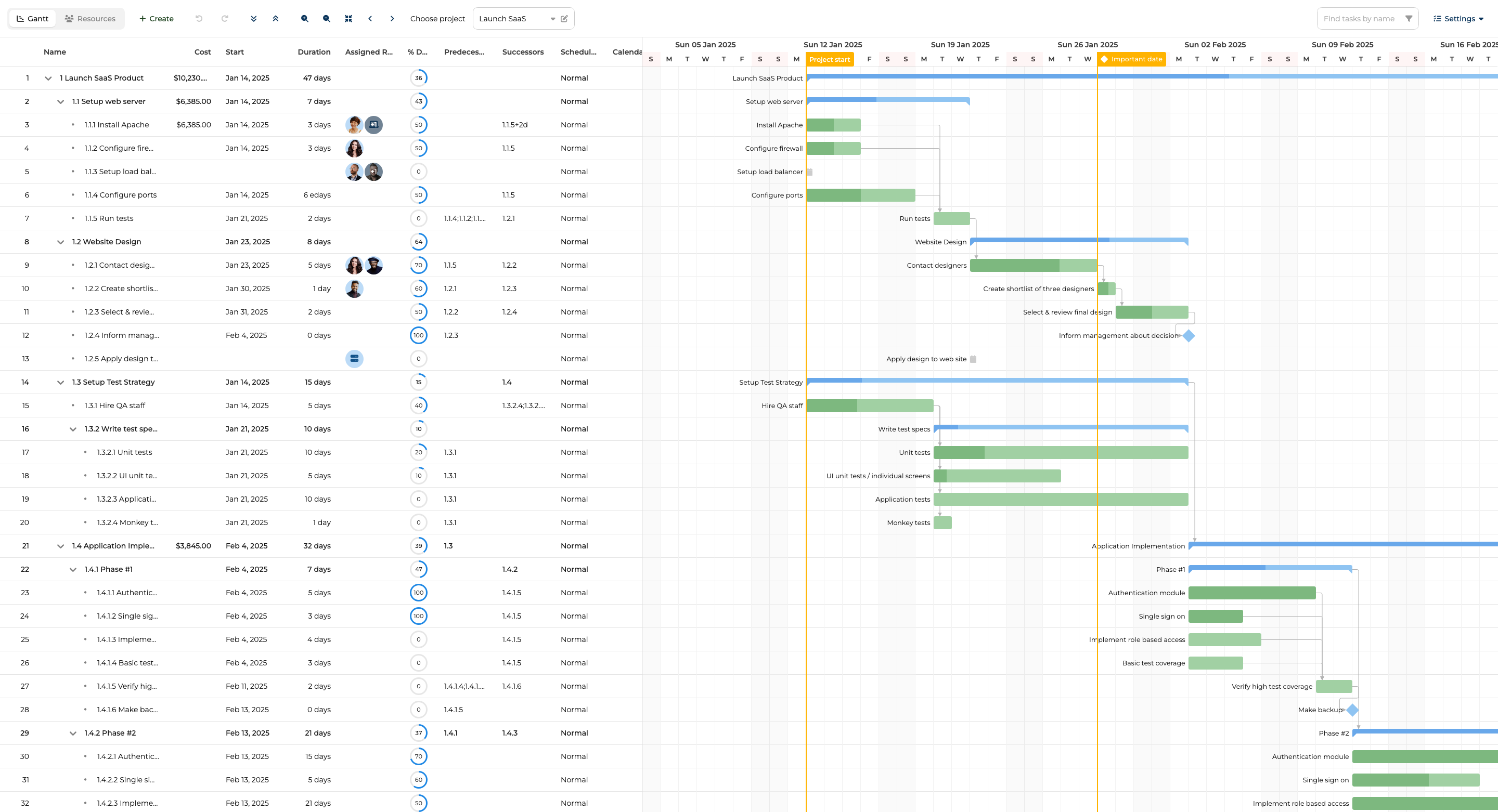
Bryntum Gantt features
The ChronoGraph engine handles auto-scheduling, so changing one task's duration or dates propagates constraints automatically through dependency links. Critical path highlighting, resource management with leveling, task baselines, split tasks, and undo/redo are all included in the base package. Client-side export covers PDF, PNG, Excel, ICS, and MS Project XML without requiring a server component. The component ships with 10 built-in themes and 45 locale files. Bryntum also provides an MCP server and a Claude Code skill, which means AI-assisted development workflows can read the API documentation and generate code directly.
Bryntum Gantt pricing
A single-developer perpetual license costs $940 and includes 12 months of updates. After the update period, you keep the version you have but no longer receive new releases. A free trial is available at https://bryntum.com/download/?product=gantt.
Pros of Bryntum Gantt
- Native Vue 3 wrapper with no manual DOM initialization
- Full scheduling engine with auto-scheduling and critical path included in the base license
- Export, baselines, and resource management ship in a single package with no add-on fees
Cons of Bryntum Gantt
- No free tier beyond the trial build
DHTMLX Gantt
DHTMLX Gantt is a mature JavaScript library with a long production history. It does not ship an official Vue wrapper, so you initialize it imperatively inside onMounted and clean up with clearAll on unmount.
Getting started with DHTMLX Gantt
Install the library from npm.
npm install dhtmlx-gantt@9.1.4
Create a wrapper component that holds a container div and calls the DHTMLX initialization API inside a Vue lifecycle hook.
<template>
    <div ref="ganttContainer" style="width: 100%; height: 500px;"></div>
</template>

<script setup>
import { ref, onMounted, onBeforeUnmount } from 'vue';
import { gantt } from 'dhtmlx-gantt';
import 'dhtmlx-gantt/codebase/dhtmlxgantt.css';

const ganttContainer = ref(null);

const tasks = {
    data  : [
        { id : 1, text : 'Phase 1',      start_date : '2026-01-01', duration : 14, open : true },
        { id : 2, text : 'Requirements', start_date : '2026-01-01', duration : 5,  parent : 1  },
        { id : 3, text : 'Design',       start_date : '2026-01-08', duration : 8,  parent : 1  }
    ],
    links : [{ id : 1, source : 2, target : 3, type : '0' }]
};

onMounted(() => {
    gantt.config.date_format = '%Y-%m-%d';
    gantt.init(ganttContainer.value);
    gantt.parse(tasks);
});

onBeforeUnmount(() => gantt.clearAll());
</script>
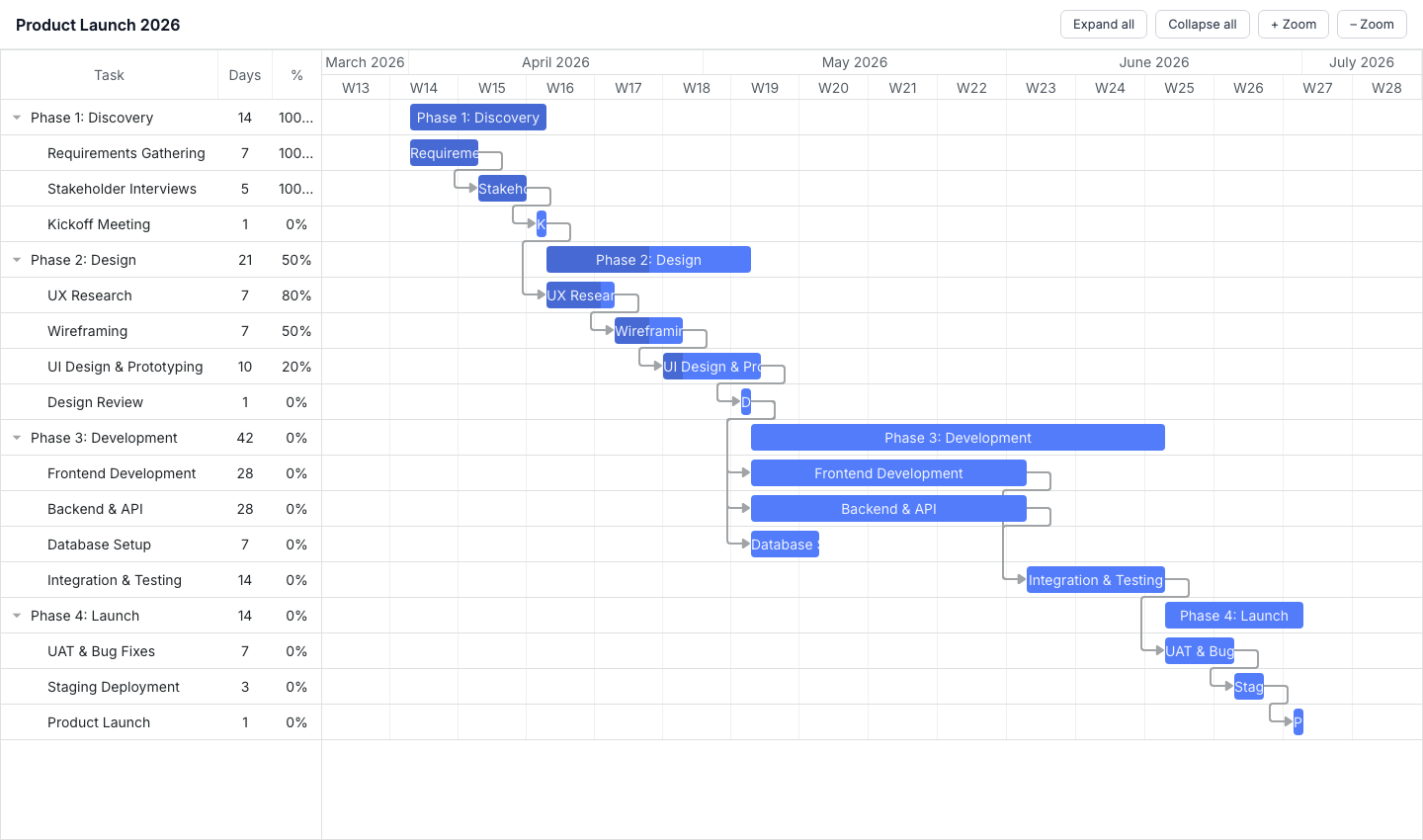
DHTMLX Gantt features
The GPL Standard edition covers drag-and-drop rescheduling, dependency links, zoom levels, and task trees. The Pro edition adds auto-scheduling, critical path analysis, and resource management. The gantt object is a global singleton, which simplifies initialization but requires careful cleanup if you mount and unmount the container more than once.
DHTMLX Gantt pricing
The GPL Standard edition is free under the GPL license. Commercial editions are available at published prices: Individual $699, Commercial $1,399, Enterprise $2,999, Ultimate $5,999. The library is distributed through the public npm registry under all tiers.
Pros of DHTMLX Gantt
- GPL Standard tier is genuinely free for open-source use
- Published pricing for commercial tiers with no quote required
- Available directly from the public npm registry
Cons of DHTMLX Gantt
- No official Vue wrapper, which requires manual DOM initialization and careful cleanup
- The global singleton pattern can cause issues when the component is conditionally rendered
Syncfusion Gantt
Syncfusion ships a native Vue component for its Gantt chart as part of the EJ2 suite. The component is fully Vue-idiomatic, meaning data binding and configuration work through props rather than imperative API calls.
Getting started with Syncfusion Gantt
Install the package.
npm install @syncfusion/ej2-vue-gantt@33.2.4
Syncfusion requires a license key registered at application startup, along with CSS imports for each sub-package the Gantt component depends on. Add both to main.js.
// main.js
import { registerLicense } from '@syncfusion/ej2-base';
import '@syncfusion/ej2-base/styles/material.css';
import '@syncfusion/ej2-buttons/styles/material.css';
import '@syncfusion/ej2-calendars/styles/material.css';
import '@syncfusion/ej2-dropdowns/styles/material.css';
import '@syncfusion/ej2-inputs/styles/material.css';
import '@syncfusion/ej2-navigations/styles/material.css';
import '@syncfusion/ej2-popups/styles/material.css';
import '@syncfusion/ej2-richtexteditor/styles/material.css';
import '@syncfusion/ej2-treegrid/styles/material.css';
import '@syncfusion/ej2-grids/styles/material.css';
import '@syncfusion/ej2-gantt/styles/material.css';

registerLicense('your-license-key-here');
Then configure the Gantt component in App.vue using the taskFields prop to map your data shape to the expected field names.
<template>
    <ejs-gantt :dataSource="data" :taskFields="taskFields" height="100%">
    </ejs-gantt>
</template>

<script setup>
import { GanttComponent as EjsGantt } from '@syncfusion/ej2-vue-gantt';

const data = [
    {
        TaskID : 1, TaskName : 'Phase 1',
        subtasks : [
            { TaskID : 2, TaskName : 'Requirements', StartDate : new Date('2026-01-01'), Duration : 5, Progress : 100 },
            { TaskID : 3, TaskName : 'Design',       StartDate : new Date('2026-01-08'), Duration : 8, Progress : 20, Predecessor : '2' }
        ]
    }
];

const taskFields = {
    id         : 'TaskID',
    name       : 'TaskName',
    startDate  : 'StartDate',
    duration   : 'Duration',
    progress   : 'Progress',
    dependency : 'Predecessor',
    child      : 'subtasks'
};
</script>
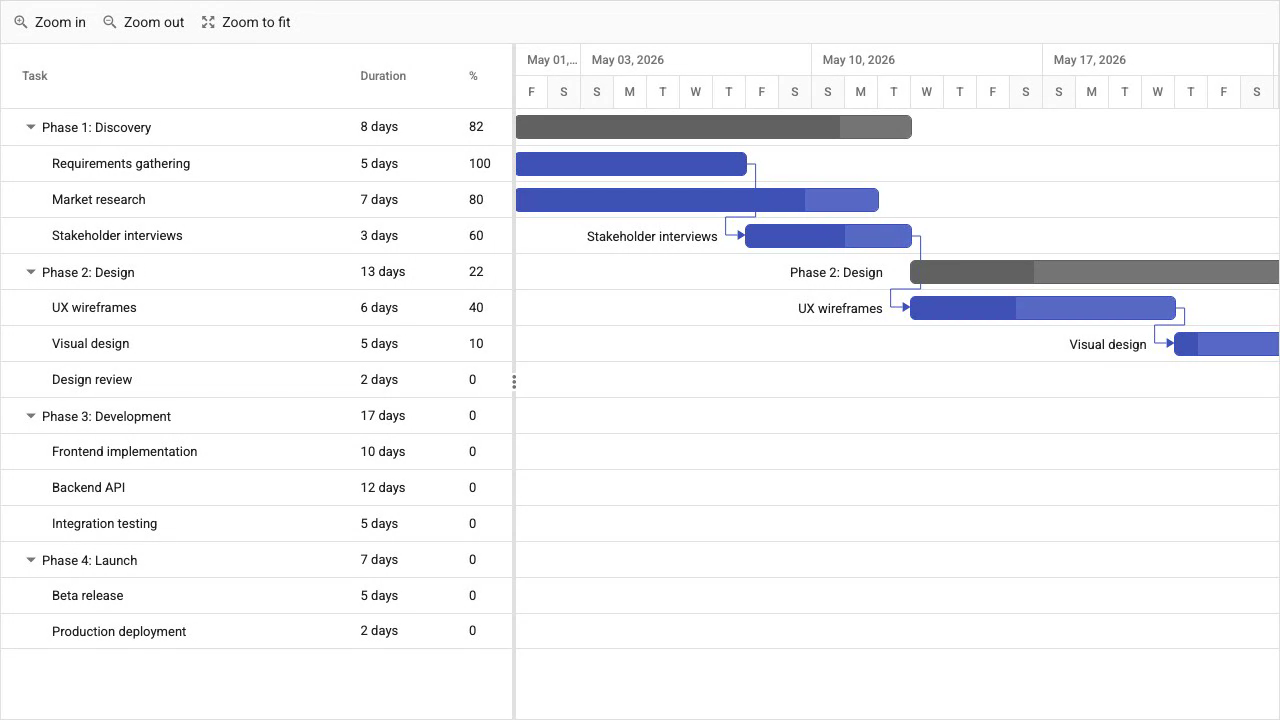
Syncfusion Gantt features
The Syncfusion Gantt component includes auto-scheduling, critical path highlighting, baselines, split tasks, resource management, undo/redo, and export. The feature set is comparable to Bryntum at the component level. The MCP servers Syncfusion provides are stdio-only, which limits their integration options compared to HTTP-based MCP servers.
Syncfusion Gantt pricing
The Community License is free for individuals, organizations with fewer than five developers, fewer than 10 employees, and annual revenue under $1 million. It covers the full feature set with no capability restrictions. Commercial licenses are quote-based and require contacting Syncfusion sales directly.
Pros of Syncfusion Gantt
- Native Vue component with full declarative configuration
- Community License grants access to all features at no cost for qualifying teams
Cons of Syncfusion Gantt
- Setup requires importing CSS from 10 separate sub-packages
- MCP servers are stdio-only
DayPilot Gantt
DayPilot Pro is a commercial UI component suite. The Gantt component ships as a native Vue component and is straightforward to configure for basic scheduling scenarios.
Getting started with DayPilot Gantt
DayPilot Pro is not on the public npm registry. After purchasing or starting a trial, install the package as directed by DayPilot.
npm install daypilot-pro-vue
Pass all configuration through a reactive config object bound to the component.
<template>
    <DayPilotGantt :config="config" />
</template>

<script setup>
import { ref } from 'vue';
import { DayPilotGantt } from 'daypilot-pro-vue';

const config = ref({
    startDate : '2026-01-01',
    days      : 30,
    tasks     : [
        { id : '1', start : '2026-01-01', end : '2026-01-15', text : 'Phase 1', completion : 50 },
        { id : '2', start : '2026-01-08', end : '2026-01-20', text : 'Design',  completion : 20 }
    ],
    links : [{ from : '1', to : '2' }]
});
</script>
DayPilot Gantt features
DayPilot Gantt supports dependency links, drag-and-drop rescheduling, and task completion percentage. The suite includes a UI Builder, which lets you configure and preview the component visually before generating code. A 60-day trial is available without a purchase. The library does not include an auto-scheduling engine, so task dates do not propagate automatically through dependency constraints.
DayPilot Gantt pricing
Licenses start at $649 per developer and are perpetual. Pricing details are available on the DayPilot website.
Pros of DayPilot Gantt
- Native Vue component with config-driven setup
- UI Builder for visual configuration and code generation
Cons of DayPilot Gantt
- No auto-scheduling engine, so dependent tasks do not adjust automatically
- Fewer features than Bryntum or Syncfusion for complex project management scenarios
vue-ganttastic
vue-ganttastic is a free, MIT-licensed Gantt library built specifically for Vue 3. It uses the Composition API throughout and is well suited to simple timeline visualizations where a full scheduling engine is not required.
Getting started with vue-ganttastic
Install from npm.
npm install vue-ganttastic
The component model is row-based. Each g-gantt-row receives a bars array, and you specify which fields in each bar object represent the start and end dates using bar-start and bar-end props on the parent g-gantt-chart.
<template>
    <g-gantt-chart
        :chart-start="chartStart"
        :chart-end="chartEnd"
        precision="day"
        bar-start="myBeginDate"
        bar-end="myEndDate"
    >
        <g-gantt-row
            v-for="row in rows"
            :key="row.label"
            :label="row.label"
            :bars="row.bars"
        />
    </g-gantt-chart>
</template>

<script setup>
import { ref } from 'vue';
import { GGanttChart, GGanttRow } from 'vue-ganttastic';

const chartStart = '2026-01-01 00:00';
const chartEnd   = '2026-02-01 00:00';

const rows = ref([
    {
        label : 'Requirements',
        bars  : [{ myBeginDate : '2026-01-01 08:00', myEndDate : '2026-01-08 17:00', ganttBarConfig : { id : '1', label : 'Requirements' } }]
    },
    {
        label : 'Design',
        bars  : [{ myBeginDate : '2026-01-08 08:00', myEndDate : '2026-01-20 17:00', ganttBarConfig : { id : '2', label : 'Design' } }]
    }
]);
</script>
vue-ganttastic features
vue-ganttastic supports drag-and-drop bar movement, custom slot rendering for bar content, configurable precision (hour, day, week, or month), and TypeScript typings. It is fully Vue 3 native and uses the Composition API. It does not include auto-scheduling, critical path analysis, resource management, file export, or dependency arrows between bars.
vue-ganttastic pricing
Free under the MIT license. There is no commercial license to purchase.
Pros of vue-ganttastic
- Free and open source under MIT
- Native Vue 3 with Composition API support
- Lightweight with no large dependency tree
Cons of vue-ganttastic
- No auto-scheduling, critical path, resource management, export, or dependency arrows
- Not suitable for enterprise project management use cases that require scheduling logic
Conclusion
The table below summarizes feature availability across all five libraries.
| Feature | Bryntum Gantt | DHTMLX Gantt | Syncfusion Gantt | DayPilot Gantt | vue-ganttastic |
|---|---|---|---|---|---|
| Auto-scheduling | Yes | Pro only | Yes | No | No |
| Critical path | Yes | Pro only | Yes | No | No |
| Resource management | Yes | Pro only | Yes | No | No |
| Vue native wrapper | Yes | No | Yes | Yes | Yes |
| Export | Yes | Pro only | Yes | No | No |
| Open-source / free tier | No | GPL Standard | Community License | 60-day trial | MIT |
| MCP server | Yes | No | Yes (stdio) | No | No |
The table below maps common use cases to the library best suited for each.
| Use case | Recommended library |
|---|---|
| Enterprise project management with full scheduling engine | Bryntum Gantt |
| Full-featured Gantt under a free Community License | Syncfusion Gantt |
| Open-source or GPL-licensed project | DHTMLX Gantt Standard |
| Simple project timeline with zero licensing cost | vue-ganttastic |
For enterprise applications that require auto-scheduling, critical path, and resource management with a native Vue component, Bryntum Gantt and Syncfusion Gantt are the strongest choices. Syncfusion's Community License makes it attractive for small teams that qualify, while Bryntum's published per-developer pricing and MCP server support make it easier to evaluate and integrate.
DHTMLX Gantt is a solid option for teams that need a proven library under a permissive open-source license. The GPL Standard tier is genuinely free, and the commercial tiers have published prices. The absence of an official Vue wrapper adds setup friction, but the integration pattern is well documented and straightforward.
vue-ganttastic fills a specific niche: teams that need a simple, dependency-free timeline visualization in a Vue 3 project and have no requirement for scheduling logic. For anything beyond basic bar display, the commercial options in this comparison offer substantially more capability.